
Smart Home Technology for Vacation Rentals

Vacation rental hosting is a remote-operations challenge as much as it is a hospitality business. Lockouts, unauthorized parties, utility waste and property damage can happen while you are in another city, another time zone or simply managing another listing.
That is exactly where smart home technology for vacation rentals becomes so powerful. Done right, it is not just a drawer full of gadgets. It is an operational stack: devices, connectivity, software and rules working together with elegant simplicity.
The goal is clear: automate check-ins, prevent avoidable incidents, reduce utility waste and protect guest trust without compromise.
Essential Smart Home Devices for Vacation Rentals
The strongest vacation rental setups solve four recurring problems first: access, energy waste, noise complaints and damage prevention. These are not luxury additions. They are the foundation of remote hosting.
Smart Locks and Keyless Entry

Get the Green Building Project Checklist
Use this handy checklist on your next project to keep track of all the ways you can make your home more energy-efficient and sustainable.
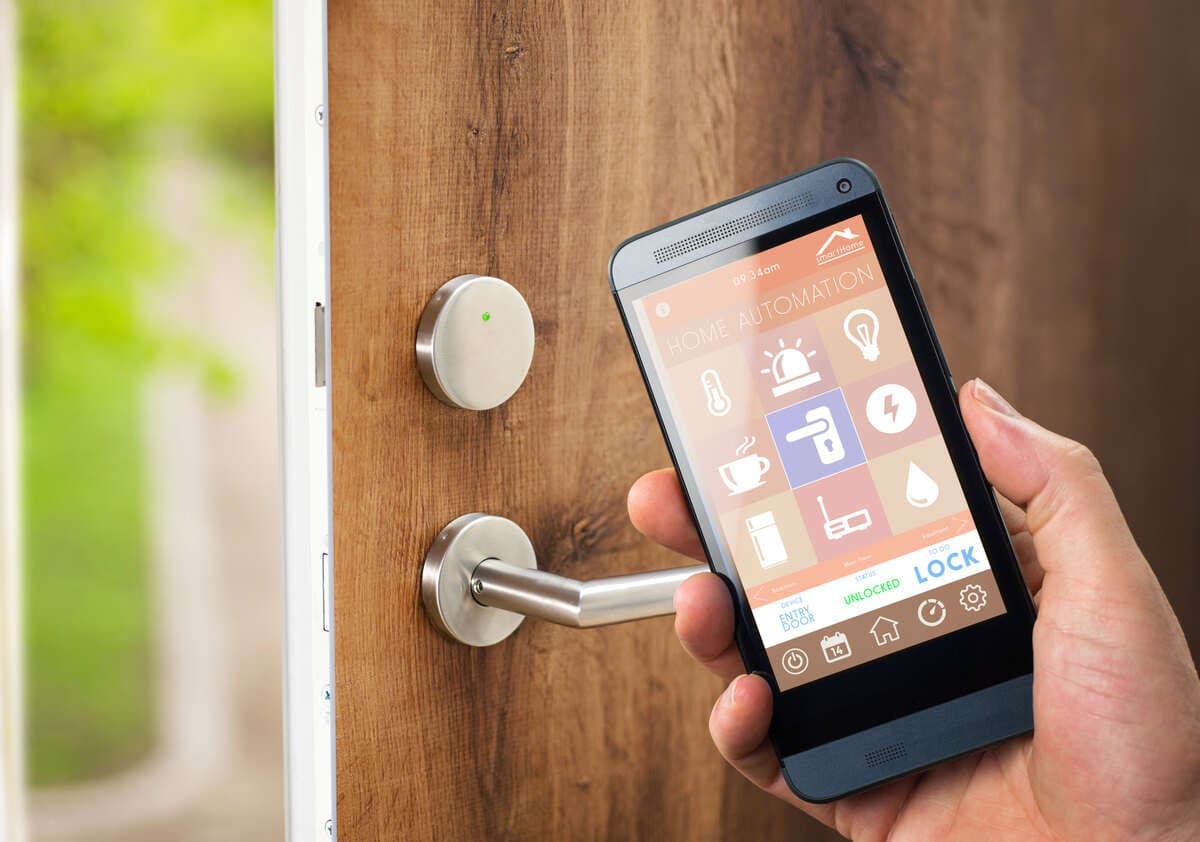
A smart lock is usually the highest-impact device in a rental. It removes physical key handoffs, reduces lockouts and prevents old guest access after checkout.
For most hosts, the best workflow is unique codes per reservation. These codes activate at check-in, expire at checkout, and create a clean access log that shows exactly which code opened the door and when.
Before buying, verify three things:
Door compatibility – Older doors and unusual lever configurations can cause bolt bind even if the lock itself works.
Connectivity – Bluetooth-only locks work locally but usually cannot be unlocked remotely. Wifi-connected locks add remote control but depend more heavily on your network.
Fallback access – A keypad or physical backup should always exist for guests who arrive with a dead phone or no app installed.
Cleaner and maintenance access should use separate credentials from guest codes. This keeps logs clean and avoids confusing a scheduled cleaner visit with an unauthorized entry. The most common failure mode is battery depletion – choose a lock with proactive low-battery push notifications.
Smart Thermostats and Energy Controls
A smart thermostat in a vacation rental has one primary job: reduce utility waste when the unit is empty while keeping guests comfortable when they are there.
The most reliable setup combines an occupancy sensor with time-based setbacks. Phone-based geofencing sounds useful, but most short-term guests will not install an app or grant permissions. Occupancy-based control works without asking them to do anything. Here’s a practical approach:
- Keep a comfortable temperature during likely occupied hours.
- Shift into a wider setback band when occupancy sensors confirm vacancy.
- Use vacancy or turnover mode between reservations.
- Restore comfort settings before or at check-in.
The common failure? Guests override a thermostat schedule and it never resets after checkout. Host-level schedules should regain control automatically once the property is vacant.
Noise Monitors and Damage Prevention Sensors
For short-term rentals, noise monitoring must be non-recording. A proper device measures decibel levels and patterns, but never captures or stores conversations. Install sensors in common areas only – never in bedrooms or bathrooms.
A smart response workflow is tiered. The first breach triggers an automated guest reminder. Repeated or sustained noise escalates to a co-host or local contact. Start with conservative thresholds and tune them over the first few bookings.
Leak sensors belong where slow damage can hide: under sinks, behind toilets, near laundry connections, at the water heater base and around shared plumbing points. Smoke and carbon monoxide sensors should cover sleeping areas and fuel-burning appliances. For rental properties, choose sensors with push alerts, battery-level reporting and self-test reminders since no one is there every day to notice a dead battery.
Guest Connectivity

Guests rarely praise invisible technology when it works. However, they notice immediately when wifi fails or they cannot get online.
Your wifi network should support multiple guests streaming, video calling and using smart devices at the same time. Walk the property with a phone and run live speed tests in bedrooms, living areas and outdoor spaces guests are expected to use. Dead zones are common in older homes and brick buildings. A mesh extender usually solves the issue better than simply moving the router.
A proper guest network means a separate SSID and password from the host’s devices and smart home hub. This keeps guest traffic away from your operational infrastructure.
For international guests, consider adding a tourist eSIM recommendation to your welcome guide. It gives travellers mobile data from the moment they land, so they can navigate to your property and contact you before they ever connect to your wifi. It is a small touch that removes a common friction point for overseas visitors.
Automation and Property Management Integration
Devices become truly powerful when your property management system turns them into a repeatable operation. Without software, every smart device is just another dashboard to check.
Reservation calendar sync should mean more than viewing bookings in one place. Date edits, early check-ins, late checkouts and cancellations should automatically update access codes, cleaning tasks, thermostat settings and vacancy modes.
Access codes are where remote provisioning earns its value. A good system manages the full lifecycle: code creation before arrival, activation at check-in, expiration at checkout and post-stay invalidation. Guest codes should be tied to reservations. Cleaner and maintenance codes should use separate time windows and permissions.
Cleaning automation should follow checkout events directly. Cleaners should complete checklists with timestamps, not vague confirmations. One important boundary: do not let automation mark a unit ready for early check-in without human approval.
Energy Savings and ROI
Energy efficiency is one of the easiest ROI categories to measure because utility bills provide the baseline.
A simple formula: if a property spends $200 per month on utilities and occupancy-based thermostat controls reduce consumption by 20 percent, that saves $40 per month. If installation costs $240, payback is six months.
Control strategies rank by reliability:
Setback schedules – Useful but blunt.
Occupancy-based setbacks – Better because they react to actual presence.
Vacancy or turnover mode – Strongest because it is tied directly to the booking calendar.
The guardrail is guest comfort. Savings should never come at the cost of a cold arrival or a bad review. After install, verify results for 30 to 60 days. Track energy usage, HVAC support tickets and thermostat override frequency. High override rates usually mean your settings are too aggressive.
Revenue lift from smart technology usually comes from four channels: higher nightly rates through amenity signalling, higher occupancy through better reviews, fewer compensation events and labour savings from fewer site visits.
Privacy, Compliance and Guest Consent

Security should never feel like surveillance. Guests need clear, visible disclosure before booking.
A privacy-compliant noise monitor must be non-recording, measure decibel levels only and be installed only in common areas. Exterior cameras should cover approach and entry points, never sightlines into windows, interior living space, hot tubs or private patios.
Disclosure only counts if guests can see it before booking. Use three placement points: listing description, pre-booking house rules and on-site signage. State the purpose plainly: safety, property protection and neighbourhood compliance. A short pre-arrival reminder one or two days before check-in prevents most complaints.
Frequently Asked Questions
Do smart locks prevent lockout problems?
A smart lock substantially reduces lockouts when configured with time-bound, unique reservation codes and a physical keypad fallback. Door alignment, battery depletion and poor installation can still cause problems, so periodic mechanical checks are essential.
Does smart home technology impact insurance?
It can support better documentation and reduce expected losses, but it should not be treated as a guaranteed premium discount. The stronger value comes from faster alerts, fewer severe incidents and fewer nights lost to preventable damage.
How do smart home devices integrate with property management software?
Your property management system should act as the source of truth. Reservation events should trigger access-code creation, cleaning tasks, thermostat changes and vacancy modes automatically. The most important detail is handling changes correctly: date edits, early check-ins, late checkouts and cancellations must cascade through connected device rules.
Images from Depositphotos


